What you owe · When it is due · How long you have
Your bills. Your due dates. One clear countdown.
Know which payment comes next. Keep bills and Pay Later installments together, see how many days you have left, and get reminded before they are due. Start free, without connecting your bank account.
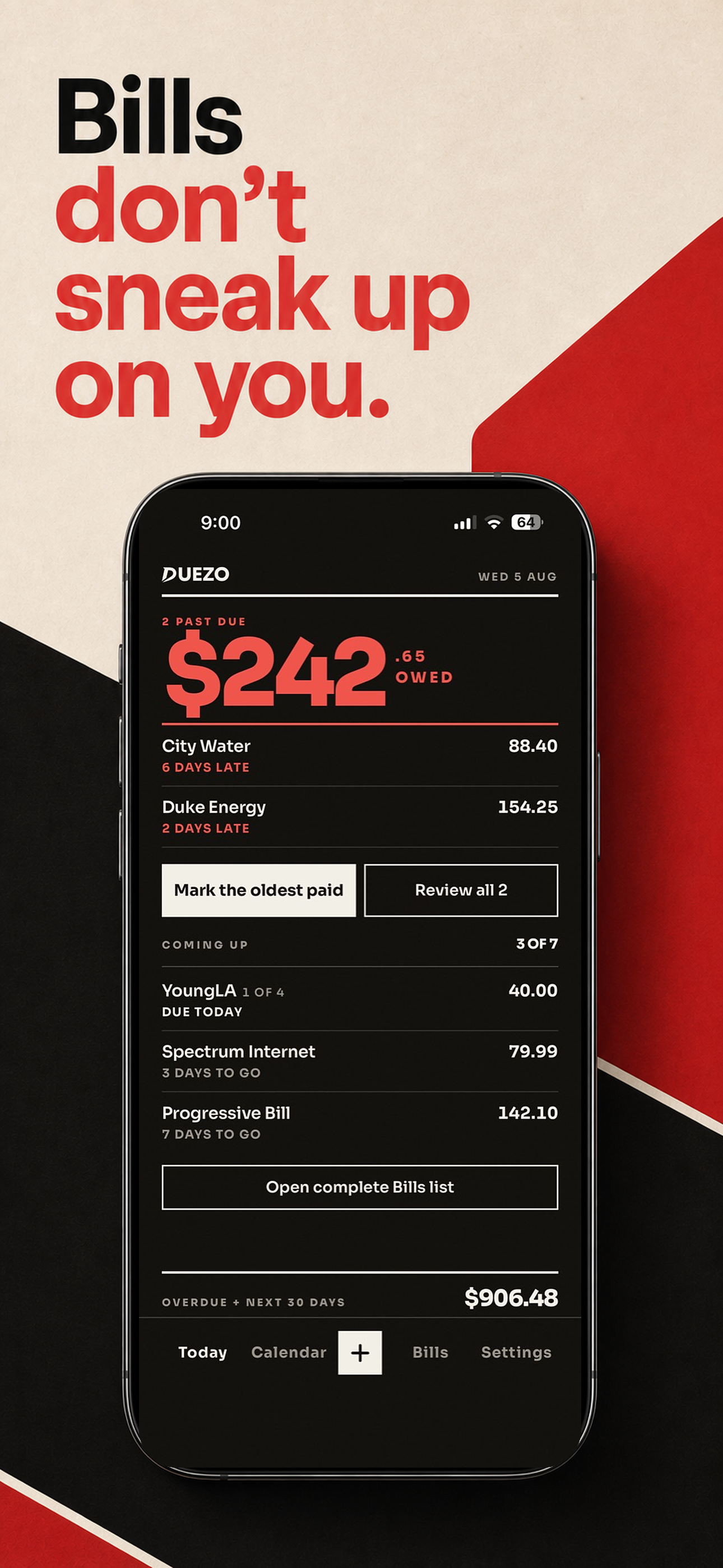
Less to remember. More clarity.
Explore bills, Smart Scan, and Pay Later in Duezo. See what’s new in version 1.0.1 below.
A stack of bill screenshots. One Smart Scan.
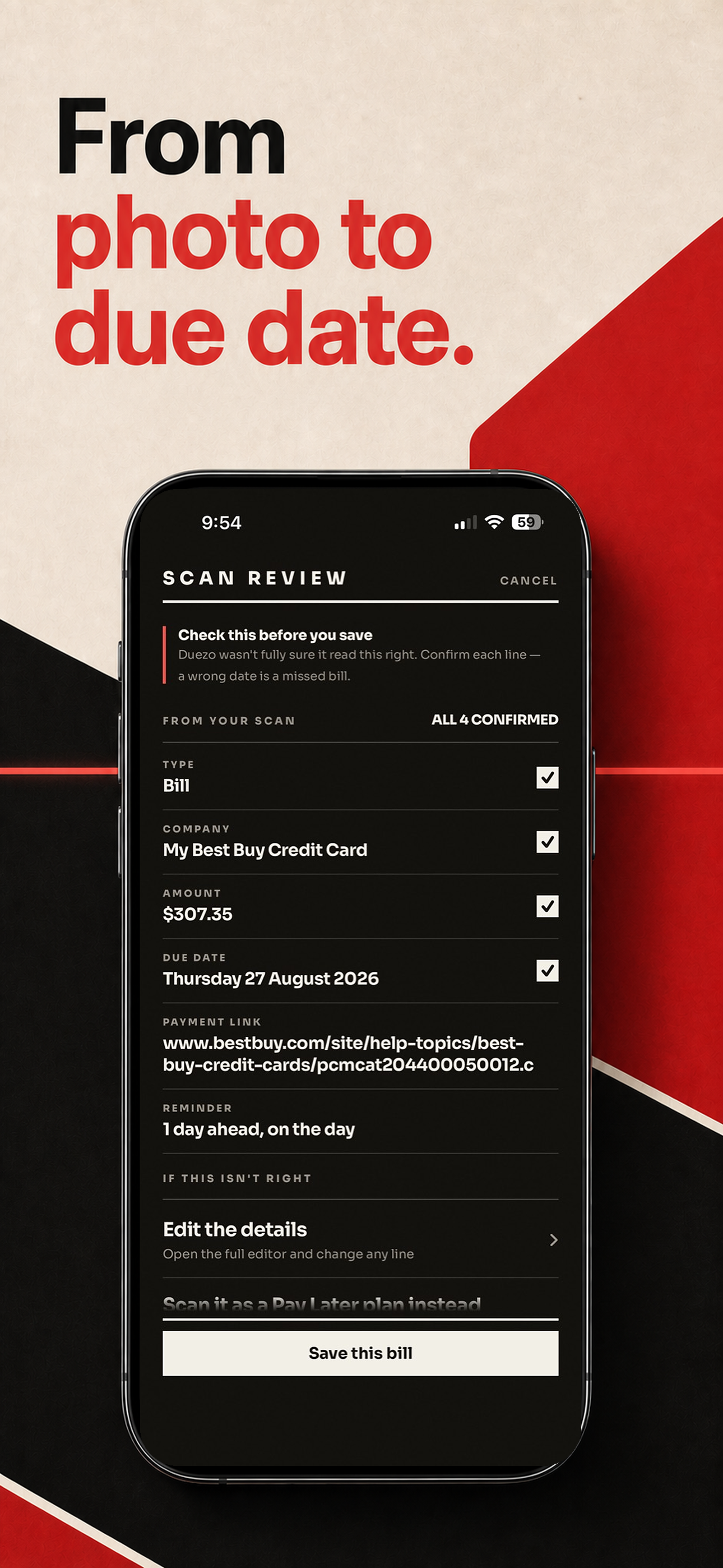
Pick several bill photos at once, then review each company, amount, and due date before saving. Less typing. More time to get on with your day.
Available now: Duezo 1.0.1 is on the App Store. Download or update the app to scan several bills at once, review the original image, and check for bills you have already paid. Get the latest version.
Several bills, one batch
Scan up to 3 bill photos on Free or 5 on Pro. A batch uses just one Smart Scan from your available balance.
Keep the original in view
The refreshed bill review shows your original image alongside editable details. Check what was read and correct anything before saving.
Already paid that bill?
When a bill in scan review matches the company, amount, and due date of an already-paid bill, Duezo warns you before you save another copy.
Smart Scan can make mistakes. You stay in control of what gets saved.
| Bank linking | None. Duezo never asks for bank or card credentials. |
| Mailbox access | None. Duezo does not read your email account. |
| Entering bills | Type them in, or point Smart Scan at documents you choose. |
| Before saving | You review and correct every scanned field yourself. |
| Platform | iPhone only for v1. |
| Price | Free to use, with unlimited manual bills and plans. Optional Duezo Pro is offered in the iPhone app. |
Add it your way
Type a bill in, or hand Smart Scan the images, screenshots or document pages you pick. You choose what it reads, every time — Duezo never goes looking.
Check it, then save
Scanned amounts, names and dates come back as editable fields. Nothing is saved until you have looked at it.
Watch the countdown
Bills and Pay Later installments merge into one date-ordered list, each with the days left in words — 4 days to go, due today, 2 days late.
Get reminded
Notifications land ahead of the due date, on the lead times you choose in Settings.
See it without opening the app
Home Screen and Lock Screen widgets carry the next payment, set in the same type as the app.
Pay where you already pay
Save a provider’s payment link and open it straight from the bill. Duezo does not move money.
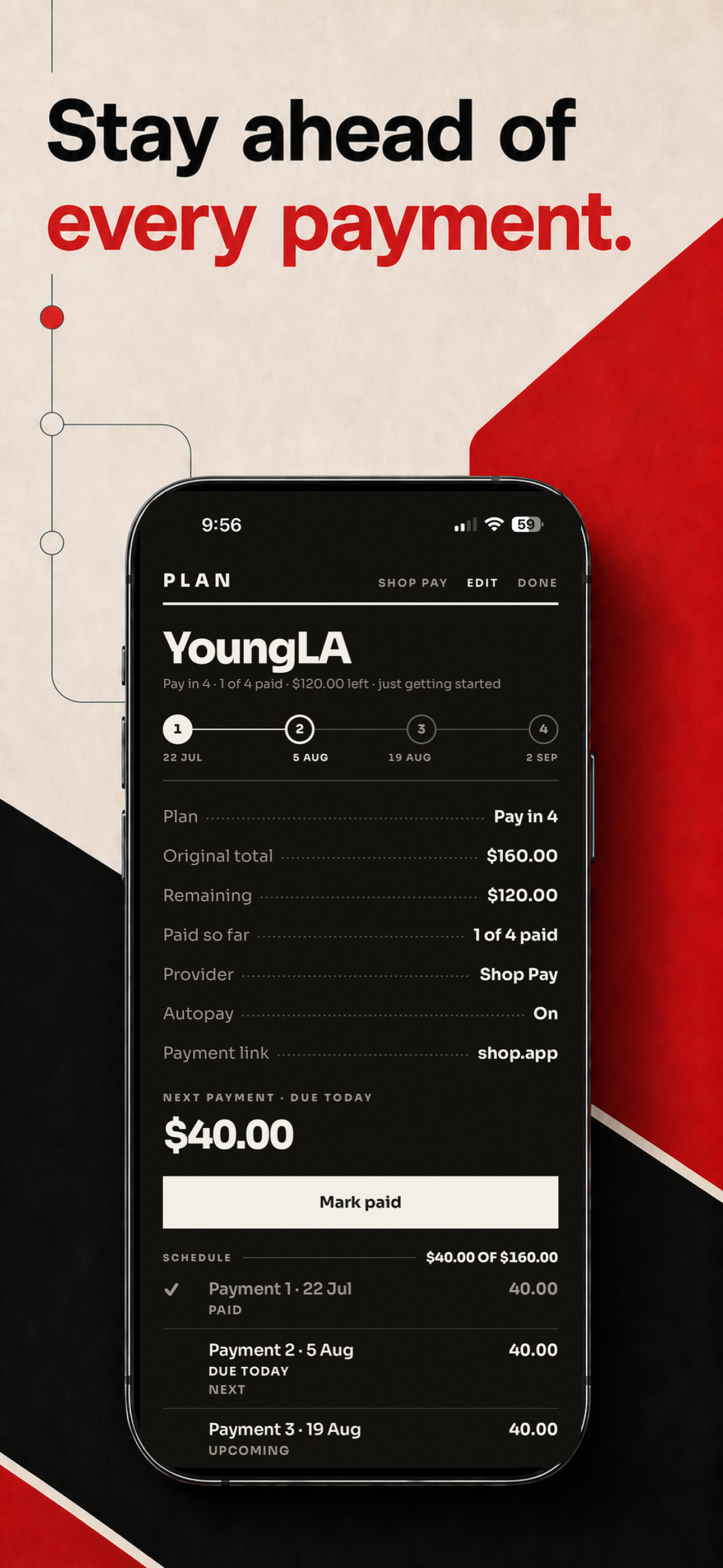
Klarna, Affirm, Afterpay, Shop Pay, PayPal Pay in 4, Sezzle, Zip. A plan is one row carrying its paid count and what is left on it, and its installments sit on the same timeline as the electric bill — so what is genuinely next is what you see first.
Duezo is free to use. Adding bills and Pay Later plans by hand is unlimited on every tier. Smart Scan — the part that reads a document for you — is the part that costs money to run, so it is what Duezo Pro pays for.
$0
Everything you need to count down what you owe.
- Unlimited manual bills and Pay Later plans
- Core reminders, calendar and appearance controls
- Small Home Screen widget
- 5 Smart Scans to start
- 1 free Smart Scan each month after that
- Free scan balance is capped at 5
$3.99 / month · $29.99 / year
For people who would rather photograph a bill than type it.
- $19.99 for your first year, then $29.99 a year
- 20 Smart Scans each billing month
- Scans do not roll over
- Medium, large, and Lock Screen widgets
- Everything in Free
Offered through the iPhone app. Duezo Pro is $3.99 a month or $29.99 a year when purchase options are shown, with a $19.99 first-year introductory offer for eligible new annual subscribers. Availability and eligibility can vary by Apple ID and storefront. Apple manages purchases and cancellations. There is no free trial.
Your electric bill, credit card, and next Pay Later installment belong in one clear view. Add them once, check the countdown, and mark them paid when you are done.
Free to download. Unlimited manually added bills and plans. Optional Pro in the app.
Can I scan several bills at once?
Yes. Batch Smart Scan is available in version 1.0.1. You can select up to 3 bill photos on Free or 5 on Pro. The whole batch uses one available Smart Scan, and you review the results before saving.
Do I have to link a bank account?
No, and there is no way to. Duezo has no bank connection of any kind and never asks for financial credentials.
Does Duezo read my email?
No. Duezo does not connect to, receive or scan your mailbox.
How does Smart Scan work?
You select what it reads — a photo, a screenshot, or a page of a document. Duezo sends only what you selected to its backend, an AI model reads it, and the fields come back for you to check and correct before anything is saved. A bill is usually one image; a Pay Later plan can take several screenshots in a single scan.
Does Duezo go through my photos?
No. Smart Scan only processes the images, screenshots, or document pages you deliberately select. Duezo does not browse your photo library, your files, your mailbox, or your email account.
Is Smart Scan always right?
No. It is AI, and it can misread an amount, a name or a date. That is why you review every scan before saving.
What does Duezo cost?
Duezo is free to use, with unlimited bills and Pay Later plans entered by hand, and a small number of Smart Scans included. Optional Duezo Pro is $3.99 a month or $29.99 a year when offered in the app, with a $19.99 first-year introductory offer for eligible new annual subscribers. Pro adds 20 Smart Scans each billing month plus the larger and Lock Screen widgets.
Does Duezo track Buy Now Pay Later plans?
Yes. Plans sit alongside regular bills, and each one shows its progress — 2 of 4 paid — and what is left.
Is there an Android version?
Not yet. Duezo v1 is iPhone only.
What happens if I delete my account?
Everything goes: your bills and plans, your preferences, your device tokens, your scan and extraction records and any stored scan images. It is immediate and cannot be undone.